

When I first started out, I thought backtesting strategies just meant scrolling back on a chart like Sherlock Holmes.
“This signal looks juicy. I definitely would’ve entered here… and BOOM, take profit!”
Easy money — at least in my imagination.
But a few stop-losses later, I had to ask:
“Is my strategy actually working… or am I just good at trading hindsight?”
That’s when I knew I had to do better.
I needed to learn how to backtest on NinjaTrader 8 — the right way.
And here’s what I discovered:
1, Manual chart review
…Great for visual practice, but not for real backtesting trading strategies.
You’re testing with hindsight, not data.
My usual approach is to tweak the settings and scroll through the chart, jotting down every signal (both the good and failed ones) and noting why each one worked or didn’t, so I can learn which setups to take and which to avoid.
You can see here that this is how I work — please don’t laugh at my messy doodles…

2, Using NinjaTrader 8’s Strategy Analyzer
Once I found the Strategy Analyzer in NinjaTrader 8, I finally saw real stats.
It’s NinjaTrader 8’s built-in tool that lets you backtest, optimize,and analyze trading strategies using historical data — before risking a single dollar in live markets.
You can run your strategy on years of historical data to see how it performs. You can know your win rate, profit factor, max drawdown, and more.
Also, you can view equity curves, trade distribution, daily performance, and drawdown charts. This helps you spot patterns and weaknesses in your strategy before going live.
But it had some limits:
- I could only test one variation at a time, which meant endless reruns.
- It gave me no visual feedback on where trades triggered — just cold numbers.
- And don’t get me started on trying to test across multiple instruments… that was a full-time
It was helpful, but still left me squinting and second-guessing.
3, Building custom strategies
I didn’t want to learn NinjaScript, so I looked for visual tools to help me backtest trading strategies using my own logic.
If you want to do it yourself, you’ll probably need to learn quite a bit, or you could just use a 3rd-party service to help you get it done.
4, Simulated trading in real-time & historical playback on NinjaTrader 8
I’m sure you’re familiar with using NinjaTrader 8’s Sim101 account to trade live market conditions.
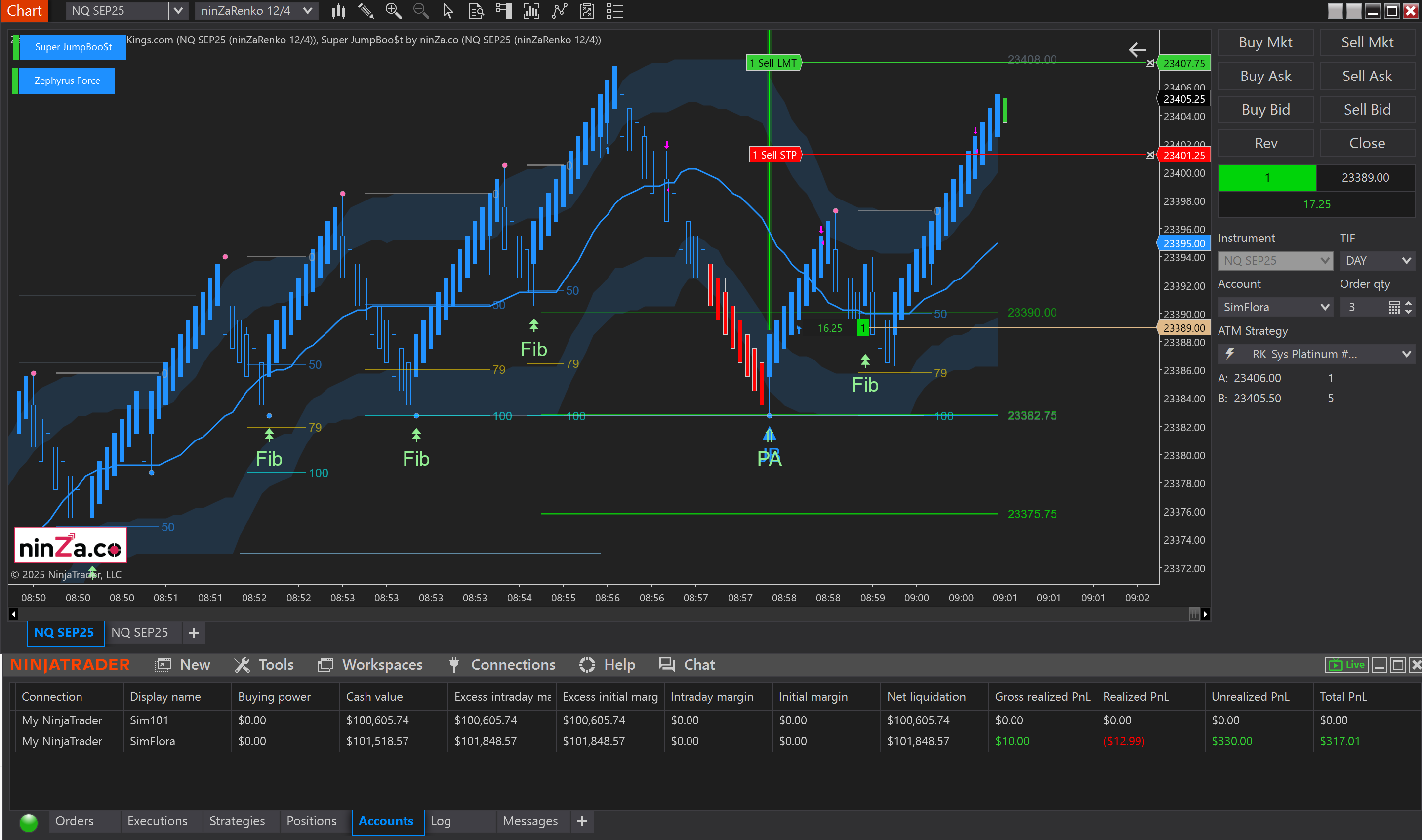
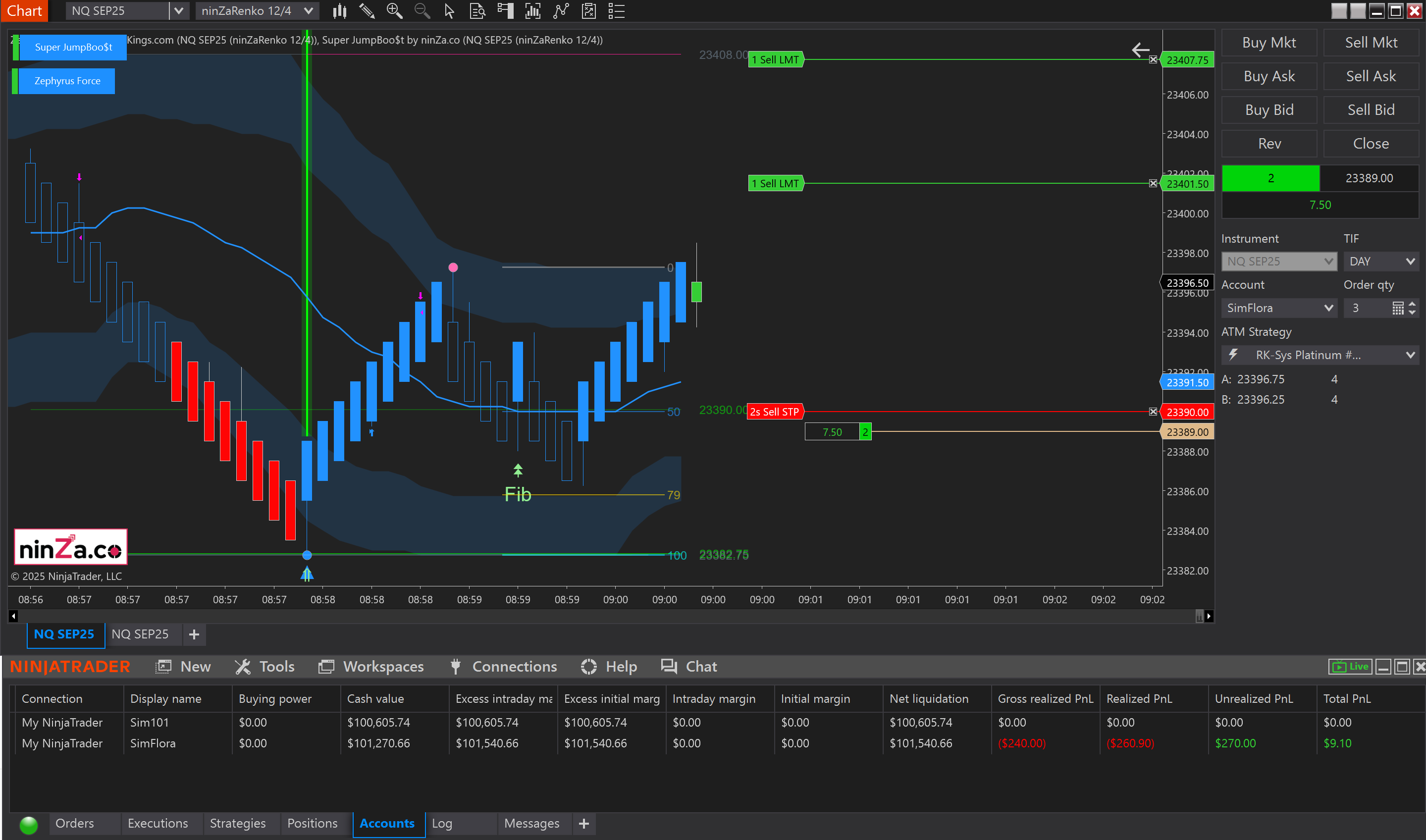
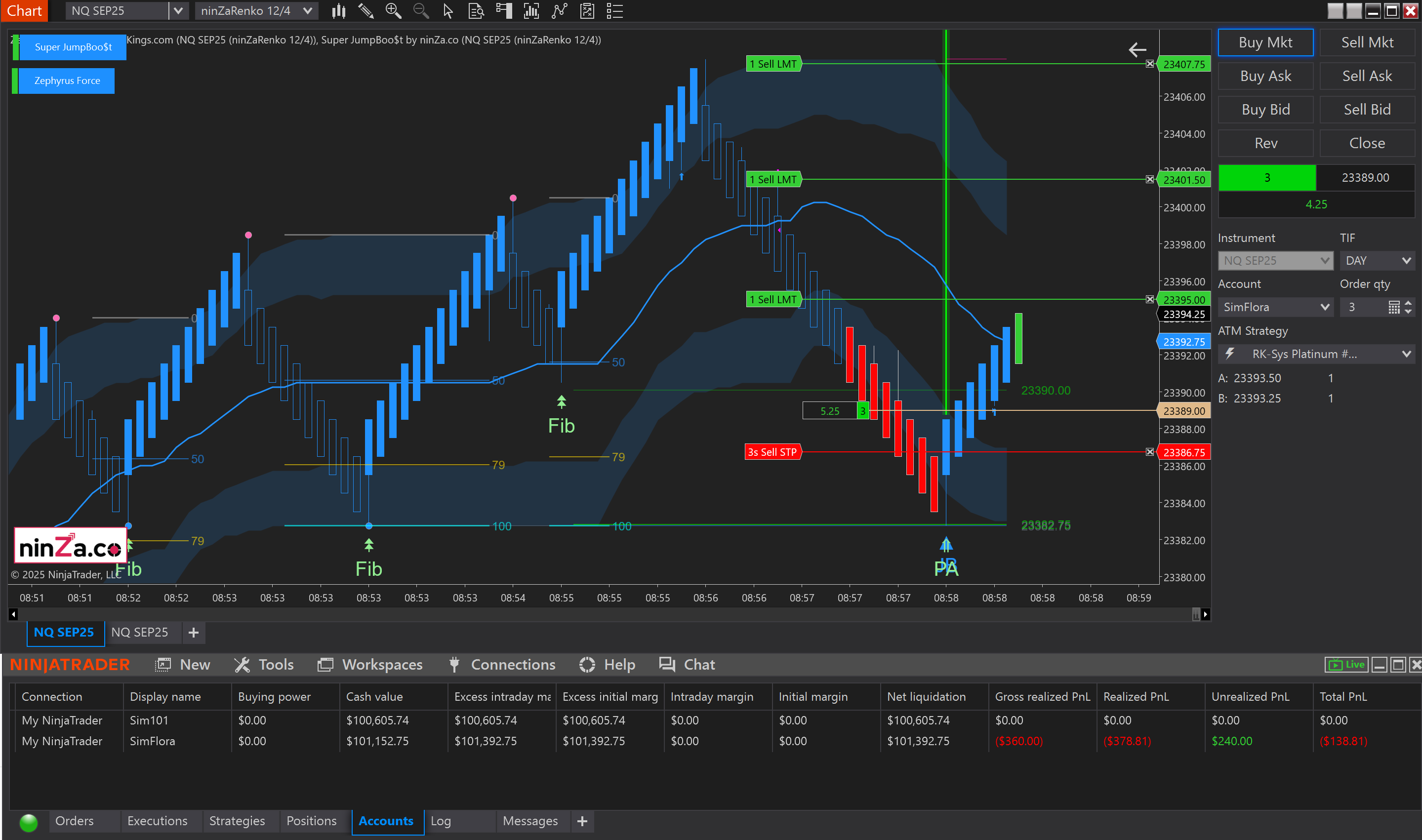
I’m no exception… I spent a period trading on a simulated account, both in real time and via historical playback.
Real-time Sim workflow (live market clock)
- Connect to Sim101 in NinjaTrader 8.
- Load your strategy or discretionary template.
- Trade exactly as you would on a cash account for one full week or a fixed 30-trade sample.
- Export performance to Excel and compare it with the original backtesting report in NinjaTrader 8.
- Large gap? Your psychology or execution needs work.
- Small gap? You’re nearly live-ready.
Historical playback workflow (any past session)
NinjaTrader 8’s Playback Connection lets you rewind real market data and replay it tick-by-tick:
- Download the session you want to study (FOMC spike, overnight grind, 2020 crash, etc.).
- Press: Play and trade in Sim101 while the market “re-lives” that day.
- Speed-up / slow-down controls let you test an entire week in an evening.
- Mark up charts, journal emotional reactions, then repeat with new parameters.
When to use playback:
| Goal | Playback advantage |
|---|---|
| Stress-test rare events | Re-run high-volatility days that a normal backtest sample may skip. |
| Train pattern recognition | Pause, forward one bar, guess the next move, then verify instantly. |
| Rapid iteration | Change a filter, replay the same day, and measure improvement in minutes. |
And suddenly… The “I need to test 15 things at once” phase
Once you get addicted to optimization (trust me, it happens), you start asking dangerous questions like:
“What if I change the timeframe?”
“How does this setup do on gold vs. NQ?”
“Can I make it better with one more filter… or two… or seven?”
“…”
That’s when I realized:
Backtesting trading strategies on NinjaTrader 8 manually was like trying to run 20 laps in flip-flops. I needed better shoes.
5, HelloWin.io — Where backtesting NinjaTrader 8 feels effortless
When I found HelloWin Backtest, it felt like switching from candlelight to LEDs.
Suddenly I could:
• Run multiple strategy variations at once
• See every single trade visually on the chart
• Slice and dice results by session, symbol, or setup
• Export everything to Excel (because sometimes you need to nerd out)
It was like giving my strategy a full-body MRI.
No more “I think it works.” Now I had:
“It worked on ES, 15-min, 200 trades, with a 64% win rate and 1.8 RR.”
Take that, doubt.
6, Captain Optimus Strong — a semi-automatic system
Captain Optimus Strong lets me build actual NT8 strategies with zero coding.
It’s like Lego for traders: just pick input (indicators, or systems), stop loss and take profit, time windows, ATM, ….
It supports:
• Custom stop-losses
• Multi-indicator logic
• Session filters and profit targets
Backtesting strategies used to feel like a chore.
Now, it’s the thing that gives me confidence.
Not because I expect perfection, but because I finally understand:
What my strategy is actually doing, not what I wish it was doing.
Whether you’re using NinjaTrader 8, HelloWin, Captain Optimus Strong, or just starting out:
The sooner you backtest properly,
The sooner you stop second-guessing every trade,
And the sooner you start trading with actual conviction.
📌Need help setting up ?
→ Contact me — I’m super friendly and love helping traders.
Trade smarter, not just harder.